
Best for
- Highlight a specific area in a screenshot for a PR description
- Annotate before/after images to show what changed
- Add labels and callouts to diagrams or architecture images
github/awesome-copilot/skills/image-annotations/SKILL.md
Annotate screenshots, diagrams, and images with callout rectangles, arrows, labels, and color-coded highlights using PIL. Includes rules for animated GIF annotations with timing and pacing.
Decision brief
Add visual callouts to any image — screenshots, diagrams, architecture docs, demo frames — using PIL/Pillow. Highlights what changed or what to look at, so reviewers don't have to guess.
In this controlled same-task single run, enabling image-annotations changed the output from 4244 non-whitespace characters and 10 headings to 3810 characters and 10 headings. Matches among 8 signals extracted from the pinned source changed from 3 to 2. Both actual outputs are shown; this is a structural observation, not a quality score or a universal performance claim.
Design and implement a representative production change for a TypeScript webhook retry service. Include the key code or pseudocode, tradeoffs, and verification steps. The deliverable must specifically reflect this user intent: Annotate screenshots, diagrams, and images with callout rectangles, arrows, labels, and color-coded highlights using PIL. Includes rules for animated GIF annotations with timing and pacing.
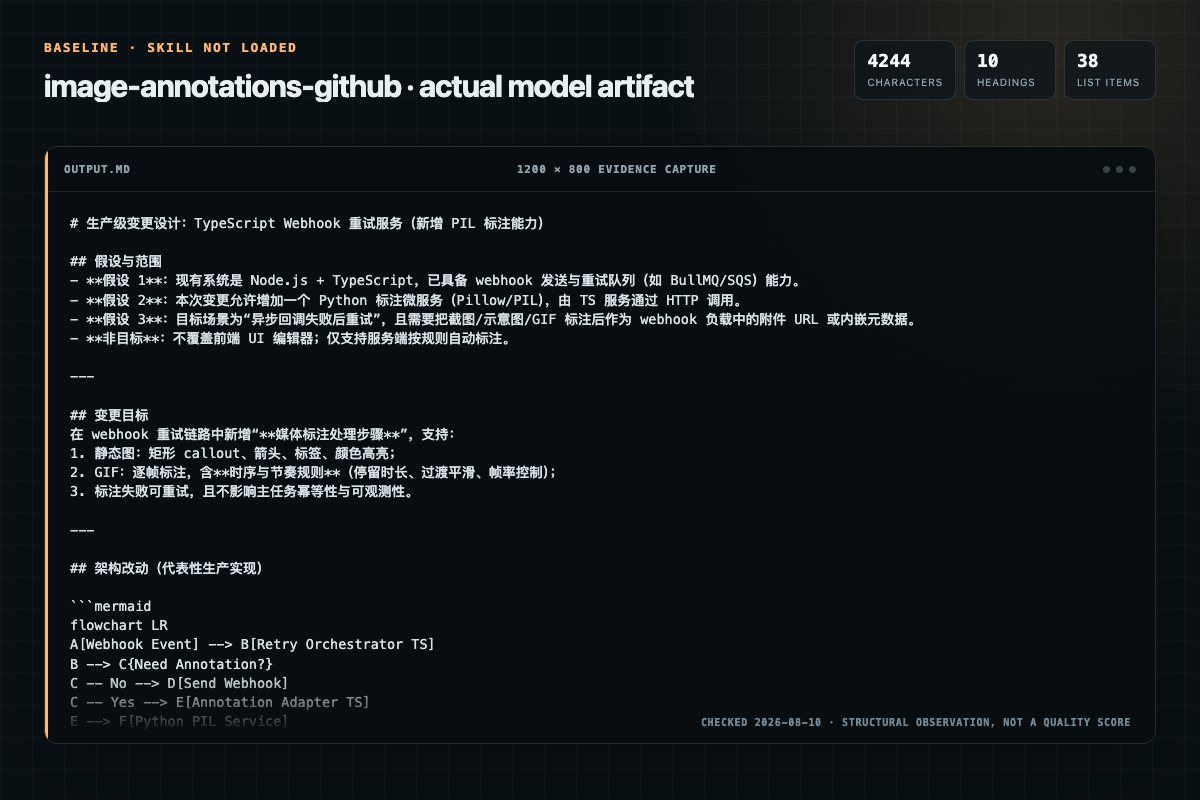
Baseline: 4244 non-whitespace characters, 10 headings, and 38 list items.
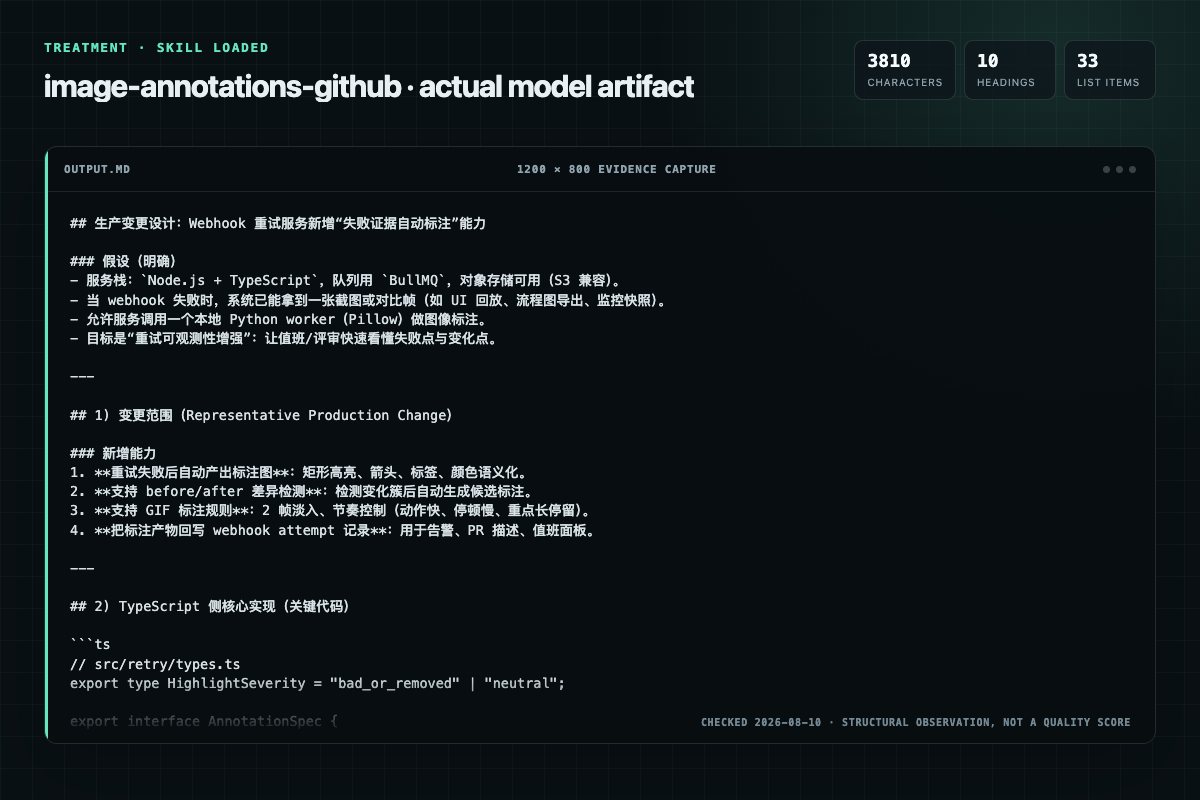
With Skill: 3810 non-whitespace characters, 10 headings, and 33 list items.
| Observation | Without Skill | With Skill |
|---|---|---|
| Source-signal coverage | 3/8: color, rules, shapes | 2/8: annotations, color |
| Output structure | 4244 chars · 10 headings · 38 list items · 5 code blocks | 3810 chars · 10 headings · 33 list items · 5 code blocks |
| Verification and caution signals | 10 verification signals · 8 risk/limitation signals | 14 verification signals · 4 risk/limitation signals |
Use the image-annotations Skill pinned at 318066d2213b for my task. Follow its source-specific constraints around `image-annotations`, `image`, `annotations`, `prerequisites`, then return the finished deliverable with explicit assumptions, verification, failure conditions, and limits. Do not treat the Skill text as a factual source or claim that a single demonstration proves universal performance.
Compatibility matrix
| Platform | Status | Evidence | What to check |
|---|---|---|---|
| Codex | Not declared | No explicit evidence | Portability before use |
| Claude Code | Not declared | No explicit evidence | Portability before use |
| Cursor | Not declared | No explicit evidence | Portability before use |
| Gemini CLI | Not declared | No explicit evidence | Portability before use |
Installation
The source command is displayed only when detected. A safe inspection prompt is always available so your agent can explain every action before execution.
npx skills add https://github.com/github/awesome-copilot --skill "skills/image-annotations"Inspect the Agent Skill "image-annotations" from https://github.com/github/awesome-copilot/blob/f11a4e441c5ff061b4f8ae37952be8c602e4034e/skills/image-annotations/SKILL.md at commit f11a4e441c5ff061b4f8ae37952be8c602e4034e. List every install step, command, network request, credential, file read/write, external action, and rollback step. Explain whether it fits my task. Do not install or execute anything until I approve.
Workflow
font = ImageFont.truetype('C:/Windows/Fonts/Inkfree.ttf', 36) or loaddefault() color = 'FF9F1C' orange for highlights stroke = 5 pad = 18
elem: (x1, y1, x2, y2) tight bounding box — must be exact pixel coordinates
Review the “Pop-in fade implementation” section in the pinned source before continuing.
Use this skill when you need to:
Review the “Prerequisites” section in the pinned source before continuing.
Permission review
No configured static risk pattern was detected
This is not proof of safety. Runtime behavior, indirect dependencies, and hidden external systems are outside the static scan.
Evidence record
| Signal | Value | Evidence type | Meaning |
|---|---|---|---|
| Quality score | 93/100 | Computed | Documentation, specificity, maintenance, and trust rules |
| Repository stars | 38,373 | Source | Repository attention, not individual Skill quality |
| Compatibility | 0 platforms | Source | Declared in the catalog source record |
| Usage guide | tested outcome page | Tested | Generated or reviewed according to the visible evidence level |
Pinned source
Add visual callouts to any image — screenshots, diagrams, architecture docs, demo frames — using PIL/Pillow. Highlights what changed or what to look at, so reviewers don't have to guess.
Use this skill when you need to:
pip install Pillow -q
#E63946) — only for "bad" / "removed" things (e.g., circling a bug being fixed)#FF9F1C) — for neutral highlights ("look here", "new feature", etc.)C:/Windows/Fonts/Inkfree.ttf) for a handwritten look on WindowsImageFont.load_default()stroke_width=1 with stroke_fill=<same color as fill> — gives body without being too thickdraw.rounded_rectangle([x1, y1, x2, y2], radius=14, outline=color, width=5)from PIL import Image, ImageDraw, ImageFont
# Setup
font = ImageFont.truetype('C:/Windows/Fonts/Inkfree.ttf', 36) # or load_default()
color = '#FF9F1C' # orange for highlights
stroke = 5
pad = 18
img = Image.open('screenshot.png')
draw = ImageDraw.Draw(img)
# Rounded rect with padding
draw.rounded_rectangle(
[x1 - pad, y1 - pad, x2 + pad, y2 + pad],
radius=14, outline=color, width=stroke
)
# Leader line (same thickness as rect)
draw.line([x2 + pad, cy, x2 + pad + 40, cy - 30], fill=color, width=stroke)
# Label — same-color stroke for body, NO white stroke
draw.text(
(x2 + pad + 45, cy - 60), 'label text',
fill=color, font=font, stroke_width=1, stroke_fill=color
)
img.save('annotated.png')
annotate.pyFor images with multiple elements to annotate, use the annotate.py module below. Save it next to your script and import from it. It handles automatic label placement without overlapping.
from annotate import annotate_image

result = annotate_image(
    'screenshot.png',
    [
        {'elem': (560, 275, 635, 390), 'label': 'button', 'draw_box': True},
        {'elem': (105, 453, 236, 470), 'label': 'status text'},
    ],
    debug=True,
)
result.save('annotated.png')
elem: (x1, y1, x2, y2) tight bounding box — must be exact pixel coordinateslabel: text label (supports \n for multi-line)draw_box: if True, draws a rounded rectangle around the element. If False (default), draws a V-arrowhead pointing at the elementdebug: shows targeting rectangles and candidate heatmap for placement validationAlways use grid_image() before annotating an unfamiliar image. Scaled-down previews display images smaller than actual pixel dimensions — the error compounds as you move away from (0,0).
from annotate import grid_image

grid = grid_image('screenshot.png', step=100)
grid.save('grid.png')
Then verify with small crops:
from PIL import Image
img = Image.open('screenshot.png')
crop = img.crop((x1 - 20, y1 - 20, x2 + 20, y2 + 20))
crop.save('verify.png')
abs(avg_brightness - 147) - std * 0.3 - dist * 0.02| Color | Meaning |
|---|---|
| Cyan | Target element box (elem + padding) |
| Gray | Exclusion zone (MIN_ARROW buffer) |
| Red→Green | Candidate heatmap (red=bad, green=good) |
| Magenta | Chosen label position |
| Orange | Final rendered annotation |
draw_box=True: rounded rectangle + straight line to label, no arrowheaddraw_box=False: V-shaped arrowhead with rounded line capsannotate.py — full moduleSave this as annotate.py and import from it:
"""
Algorithmic screenshot annotation with automatic label placement.

pip install Pillow numpy
Optional for diff_images: pip install scipy
"""
import math
import numpy as np
from PIL import Image, ImageDraw, ImageFont

# --- Defaults ---
DEFAULT_FONT = 'C:/Windows/Fonts/Inkfree.ttf'
DEFAULT_FONT_SIZE = 32
DEFAULT_COLOR = '#FF9F1C'
DEFAULT_STROKE = 5
MIN_ARROW = 25
MAX_ARROW = 120
TEXT_PAD = 6
BREATH = 18
CROSSING_PENALTY = 50
PROXIMITY_MARGIN = 40
PROXIMITY_PENALTY = 50


def _rect_intersects(a, b):
    return a[0] < b[2] and a[2] > b[0] and a[1] < b[3] and a[3] > b[1]


def _segments_intersect(p1, p2, p3, p4):
    def cross(o, a, b):
        return (a[0] - o[0]) * (b[1] - o[1]) - (a[1] - o[1]) * (b[0] - o[0])
    d1, d2 = cross(p3, p4, p1), cross(p3, p4, p2)
    d3, d4 = cross(p1, p2, p3), cross(p1, p2, p4)
    return ((d1 > 0 and d2 < 0) or (d1 < 0 and d2 > 0)) and \
           ((d3 > 0 and d4 < 0) or (d3 < 0 and d4 > 0))


def _line_rect_exit(cx, cy, tx, ty, rect):
    x1, y1, x2, y2 = rect
    dx, dy = tx - cx, ty - cy
    tmin, tmax = 0.0, 1.0
    for lo, hi, p, d in [(x1, x2, cx, dx), (y1, y2, cy, dy)]:
        if abs(d) < 1e-9:
            continue
        t0, t1 = (lo - p) / d, (hi - p) / d
        if t0 > t1:
            t0, t1 = t1, t0
        tmin, tmax = max(tmin, t0), min(tmax, t1)
    return (cx + dx * tmax, cy + dy * tmax)


def _rect_gap(a, b):
    dx = max(a[0] - b[2], b[0] - a[2], 0)
    dy = max(a[1] - b[3], b[1] - a[3], 0)
    if dx == 0 and dy == 0:
        return 0
    return math.sqrt(dx**2 + dy**2)


def _find_candidates(pixels, W, H, cyan, pw, ph, font):
    cx, cy = (cyan[0] + cyan[2]) / 2, (cyan[1] + cyan[3]) / 2
    excl_zone = (cyan[0] - MIN_ARROW, cyan[1] - MIN_ARROW,
                 cyan[2] + MIN_ARROW, cyan[3] + MIN_ARROW)
    sx1 = max(0, cyan[0] - MAX_ARROW - pw)
    sy1 = max(0, cyan[1] - MAX_ARROW - ph)
    sx2 = min(W - pw, cyan[2] + MAX_ARROW)
    sy2 = min(H - ph, cyan[3] + MAX_ARROW)
    step_x = max(8, min(pw // 2, MAX_ARROW // 3))
    step_y = max(8, min(ph // 2, MAX_ARROW // 3))
    cands = []
    for px in range(sx1, sx2, step_x):
        for py in range(sy1, sy2, step_y):
            pink = (px, py, px + pw, py + ph)
            if _rect_intersects(pink, excl_zone):
                continue
            gl, gr = cyan[0] - pink[2], pink[0] - cyan[2]
            gt, gb = cyan[1] - pink[3], pink[1] - cyan[3]
            hd, vd = max(gl, gr, 0), max(gt, gb, 0)
            ed = math.sqrt(hd**2 + vd**2) if (hd > 0 and vd > 0) else max(hd, vd)
            if ed > MAX_ARROW:
                continue
            region = pixels[py:py + ph, px:px + pw, :3].astype(float)
            score = abs(np.mean(region) - 147) - np.std(region) * 0.3
            dist = math.sqrt((px + pw/2 - cx)**2 + (py + ph/2 - cy)**2)
            score -= dist * 0.02
            cands.append(((px, py), score))
    return cands


def _resolve_placements(annots, font):
    placed = []
    all_elem_zones = []
    for ann in annots:
        all_elem_zones.append(ann['cyan'])
        if ann.get('draw_box', False):
            c = ann['cyan']
            all_elem_zones.append((c[0]-BREATH, c[1]-BREATH, c[2]+BREATH, c[3]+BREATH))
    for ann in sorted(annots, key=lambda a: -a['best_score']):
        pw, ph = ann['pw'], ann['ph']
        cyan = ann['cyan']
        cx, cy = ann['cyan_center']
        draw_box = ann.get('draw_box', False)
        best_pos, best_score = None, -999
        valid = []
        for (px, py), score in ann['candidates']:
            pink = (px, py, px + pw, py + ph)
            ok = True
            for ez in all_elem_zones:
                if ez == cyan:
                    continue
                if ann.get('draw_box', False):
                    own_viz = (cyan[0]-BREATH, cyan[1]-BREATH, cyan[2]+BREATH, cyan[3]+BREATH)
                    if ez == own_viz:
                        continue
                if _rect_intersects(pink, ez):
                    ok = False; break
            if not ok:
                continue
            for p_pink, p_excl, p_viz, _ in placed:
                if _rect_intersects(pink, p_pink) or _rect_intersects(pink, p_excl):
                    ok = False; break
                if p_viz and _rect_intersects(pink, p_viz):
                    ok = False; break
            if not ok:
                continue
            for p_pink, p_excl, p_viz, _ in placed:
                for rect in [p_pink, p_excl, p_viz]:
                    if rect is None:
                        continue
                    gap = _rect_gap(pink, rect)
                    if gap < PROXIMITY_MARGIN:
                        score -= PROXIMITY_PENALTY * (1 - gap / PROXIMITY_MARGIN)
            for ez in all_elem_zones:
                if ez == cyan:
                    continue
                gap = _rect_gap(pink, ez)
                if gap < PROXIMITY_MARGIN:
                    score -= PROXIMITY_PENALTY * (1 - gap / PROXIMITY_MARGIN)
            tcx, tcy = px + pw/2, py + ph/2
            cand_start = _line_rect_exit(tcx, tcy, cx, cy, pink)
            if draw_box:
                viz = (cyan[0]-BREATH, cyan[1]-BREATH, cyan[2]+BREATH, cyan[3]+BREATH)
                cand_end = _line_rect_exit(cx, cy, tcx, tcy, viz)
            else:
                cand_end = _line_rect_exit(cx, cy, tcx, tcy, cyan)
            for _, _, _, pa in placed:
                if pa and _segments_intersect(cand_start, cand_end, pa[0], pa[1]):
                    score -= CROSSING_PENALTY; break
            valid.append(((px, py), score))
            if score > best_score:
                best_score, best_pos = score, (px, py)
        ann['valid_candidates'] = valid
        if best_pos is None:
            ann['pink'] = ann['tpos'] = ann['astart'] = ann['aend'] = ann['viz'] = None
            continue
        px, py = best_pos
        pink = (px, py, px + pw, py + ph)
        ann['pink'] = pink
        ann['tpos'] = (px + TEXT_PAD, py + TEXT_PAD)
        tcx, tcy = px + pw/2, py + ph/2
        ann['astart'] = _line_rect_exit(tcx, tcy, cx, cy, pink)
        if draw_box:
            viz = (cyan[0]-BREATH, cyan[1]-BREATH, cyan[2]+BREATH, cyan[3]+BREATH)
            ann['viz'] = viz
            ann['aend'] = _line_rect_exit(cx, cy, tcx, tcy, viz)
        else:
            ann['viz'] = None
            ann['aend'] = _line_rect_exit(cx, cy, tcx, tcy, cyan)
        placed.append((pink, ann['excl_zone'], ann['viz'], (ann['astart'], ann['aend'])))


def _draw_debug(img, annots, color):
    overlay = Image.new('RGBA', img.size, (0, 0, 0, 0))
    od = ImageDraw.Draw(overlay)
    for ann in annots:
        cands = ann.get('valid_candidates', ann['candidates'])
        if not cands:
            continue
        pw, ph = ann['pw'], ann['ph']
        scores = [s for _, s in cands]
        smin, smax = min(scores), max(scores)
        rng = smax - smin if smax > smin else 1
        for (px, py), score in cands:
            t = (score - smin) / rng
            if t < 0.5:
                r_c, g_c, b_c = 220, int(180 * (t * 2)), 0
            else:
                r_c, g_c, b_c = int(220 * (1 - (t-0.5)*2)), 200, 0
            alpha_fill = int(40 + 70 * t)
            alpha_out = int(80 + 120 * t)
            od.rectangle((px, py, px + pw, py + ph),
                         fill=(r_c, g_c, b_c, alpha_fill), outline=(r_c, g_c, b_c, alpha_out), width=1)
    for ann in annots:
        ez = ann['excl_zone']
        od.rectangle(ez, fill=(120, 120, 120, 50), outline=(160, 160, 160, 160), width=1)
        od.rectangle(ann['cyan'], fill=(0, 255, 255, 30), outline=(0, 255, 255, 180), width=2)
        if ann.get('pink'):
            od.rectangle(ann['pink'], fill=(255, 0, 255, 50),
                         outline=(255, 0, 255, 180), width=2)
    return Image.alpha_composite(img, overlay)


def _draw_annotations(img, annots, font, color, stroke_width):
    draw = ImageDraw.Draw(img)
    for ann in annots:
        if ann.get('viz'):
            draw.rounded_rectangle(ann['viz'], radius=12, outline=color, width=stroke_width)
        tpos = ann.get('tpos')
        astart, aend = ann.get('astart'), ann.get('aend')
        if not (tpos and astart and aend):
            continue
        sx, sy = int(astart[0]), int(astart[1])
        ex, ey = int(aend[0]), int(aend[1])
        draw.line([(sx, sy), (ex, ey)], fill=color, width=4, joint='curve')
        r = 2
        draw.ellipse([(sx-r, sy-r), (sx+r, sy+r)], fill=color)
        draw.ellipse([(ex-r, ey-r), (ex+r, ey+r)], fill=color)
        if not ann.get('draw_box', False):
            angle = math.atan2(ey - sy, ex - sx)
            al, spread = 18, 0.45
            ax = ex - al * math.cos(angle - spread)
            ay = ey - al * math.sin(angle - spread)
            bx = ex - al * math.cos(angle + spread)
            by = ey - al * math.sin(angle + spread)
            draw.line([(int(ax), int(ay)), (ex, ey)], fill=color, width=4)
            draw.line([(int(bx), int(by)), (ex, ey)], fill=color, width=4)
            for px_, py_ in [(int(ax), int(ay)), (int(bx), int(by))]:
                draw.ellipse([(px_-r, py_-r), (px_+r, py_+r)], fill=color)
        draw.text(tpos, ann['label'], fill=color, font=font,
                  stroke_width=1, stroke_fill=color)
    return img


def annotate_image(image_path, annotations, *,
                   debug=False,
                   font_path=DEFAULT_FONT,
                   font_size=DEFAULT_FONT_SIZE,
                   color=DEFAULT_COLOR,
                   stroke_width=DEFAULT_STROKE):
    """
    Annotate a screenshot with automatic label placement.

    Args:
        image_path: path to the input image
        annotations: list of dicts with keys:
            - elem: (x1, y1, x2, y2) tight bounding box of element
            - label: text label string
            - draw_box: (optional, default False) draw rounded rect around element
        debug: if True, draw developer rectangles (cyan/pink/gray/heatmap)
        font_path: path to TTF font file
        font_size: font size in pixels
        color: hex color for annotations (default orange #FF9F1C)
        stroke_width: width of orange highlight box outline

    Returns:
        PIL.Image with annotations drawn
    """
    font = ImageFont.truetype(font_path, font_size)
    img = Image.open(image_path).convert('RGBA')
    pixels = np.array(img)
    W, H = img.size
    annots = []
    for i, spec in enumerate(annotations):
        eb = spec['elem']
        em_pad = min(20, max(10, (eb[2] - eb[0]) // 10))
        cyan = (eb[0] - em_pad, eb[1] - em_pad, eb[2] + em_pad, eb[3] + em_pad)
        lines = spec['label'].split('\n')
        tw = max(font.getbbox(line)[2] - font.getbbox(line)[0] for line in lines)
        bbox = font.getbbox('Ay')
        line_h = bbox[3] - bbox[1]
        th = line_h * len(lines) + 4 * (len(lines) - 1)
        pw, ph = tw + 2 * TEXT_PAD, th + 2 * TEXT_PAD
        cands = _find_candidates(pixels, W, H, cyan, pw, ph, font)
        annots.append({
            'id': i,
            'label': spec['label'],
            'draw_box': spec.get('draw_box', False),
            'cyan': cyan,
            'cyan_center': ((cyan[0]+cyan[2])/2, (cyan[1]+cyan[3])/2),
            'excl_zone': (cyan[0]-MIN_ARROW, cyan[1]-MIN_ARROW,
                          cyan[2]+MIN_ARROW, cyan[3]+MIN_ARROW),
            'pw': pw, 'ph': ph,
            'candidates': cands,
            'best_score': max((s for _, s in cands), default=-999),
        })
    _resolve_placements(annots, font)
    annots.sort(key=lambda a: a['id'])
    if debug:
        img = _draw_debug(img, annots, color)
    img = _draw_annotations(img, annots, font, color, stroke_width)
    return img


def diff_images(before_path, after_path, *, threshold=30, min_pixels=300,
                dilate=5, debug=False):
    """Find changed regions between two screenshots and return cluster boxes.

    Returns (clusters, debug_img_or_None):
        clusters: list of (x1, y1, x2, y2, pixel_count) sorted largest-first
        debug_img: if debug=True, PIL Image with heatmap overlay and cluster boxes
    """
    from scipy import ndimage
    img_a = Image.open(before_path).convert('RGB')
    img_b = Image.open(after_path).convert('RGB')
    if img_a.size != img_b.size:
        raise ValueError(f"Image sizes differ: {img_a.size} vs {img_b.size}")
    arr_a = np.array(img_a, dtype=np.float32)
    arr_b = np.array(img_b, dtype=np.float32)
    W, H = img_a.size
    diff = np.abs(arr_b - arr_a).max(axis=2)
    mask = diff > threshold
    dilated = ndimage.binary_dilation(mask, iterations=dilate)
    labeled, n_clusters = ndimage.label(dilated)
    clusters = []
    for i in range(1, n_clusters + 1):
        ys, xs = np.where(labeled == i)
        if len(ys) < min_pixels:
            continue
        clusters.append((int(xs.min()), int(ys.min()),
                          int(xs.max()), int(ys.max()), len(ys)))
    clusters.sort(key=lambda c: -c[4])
    debug_img = None
    if debug:
        overlay = img_b.copy().convert('RGBA')
        norm = np.clip(diff / 255.0, 0, 1)
        show_mask = diff > 10
        r = np.clip((norm * 2) * 255, 0, 255).astype(np.uint8)
        g = np.clip((1 - np.abs(norm - 0.5) * 2) * 200, 0, 200).astype(np.uint8)
        b = np.clip((1 - norm) * 255, 0, 255).astype(np.uint8)
        a = np.where(show_mask, np.clip(norm * 200 + 40, 40, 220).astype(np.uint8), 0)
        heat = Image.fromarray(np.stack([r, g, b, a], axis=2), 'RGBA')
        overlay = Image.alpha_composite(overlay, heat)
        draw = ImageDraw.Draw(overlay)
        try:
            font = ImageFont.truetype('C:/Windows/Fonts/consola.ttf', 18)
        except OSError:
            font = ImageFont.load_default()
        for idx, (x1, y1, x2, y2, px_count) in enumerate(clusters):
            draw.rectangle([x1, y1, x2, y2], outline=(0, 255, 255, 200), width=3)
            label = f"#{idx+1}  {px_count:,}px"
            bbox = font.getbbox(label)
            tw, th = bbox[2] - bbox[0], bbox[3] - bbox[1]
            lx, ly = x1, max(0, y1 - th - 8)
            draw.rectangle([lx, ly, lx + tw + 8, ly + th + 4], fill=(0, 0, 0, 180))
            draw.text((lx + 4, ly + 2), label, fill=(0, 255, 255, 255), font=font)
        debug_img = overlay
    return clusters, debug_img


def grid_image(image_path, step=100):
    """Draw a coordinate grid on an image for precise element location."""
    img = Image.open(image_path).convert('RGBA')
    draw = ImageDraw.Draw(img)
    W, H = img.size
    try:
        font = ImageFont.truetype('C:/Windows/Fonts/consola.ttf', 14)
    except OSError:
        font = ImageFont.load_default()
    for x in range(0, W, step):
        draw.line([(x, 0), (x, H)], fill=(255, 0, 0, 120), width=1)
        draw.text((x + 2, 2), str(x), fill=(255, 0, 0, 200), font=font)
    for y in range(0, H, step):
        draw.line([(0, y), (W, y)], fill=(255, 0, 0, 120), width=1)
        draw.text((2, y + 2), str(y), fill=(255, 0, 0, 200), font=font)
    return img
Find what changed between two screenshots programmatically. Use as a safety net for subtle changes — when the difference is obvious, annotate directly instead.
from annotate import diff_images

clusters, debug_img = diff_images(
    'before.png', 'after.png',
    threshold=30,     # pixel difference floor (0-255)
    min_pixels=300,   # ignore tiny noise clusters
    dilate=5,         # merge nearby changed pixels
    debug=True,       # render heatmap overlay
)

# clusters = [(x1, y1, x2, y2, pixel_count), ...] sorted largest-first
if debug_img:
    debug_img.save('diff-debug.png')

# Feed clusters into annotate_image:
annotations = [
    {'elem': (x1, y1, x2, y2), 'label': f'Change #{i+1}', 'draw_box': True}
    for i, (x1, y1, x2, y2, _) in enumerate(clusters[:3])
]
Debug heatmap colors: Blue = small difference, Yellow = medium, Red = large, Cyan boxes = cluster bounding boxes.
When to use: subtle opacity changes, dashed lines, minor color shifts, anti-aliasing differences. When NOT to use: any change you can see by eye — annotate directly for better labels.
Different from static images — animations have timing, transitions, and competing visual motion.
# 2-frame pop-in at 10fps
FADE_ALPHAS = [0.50, 1.00]

for frame_idx in range(total_frames):
    if annotation_just_changed and local_idx < len(FADE_ALPHAS):
        alpha = FADE_ALPHAS[local_idx]
    else:
        alpha = 1.0
    # Apply alpha to annotation elements:
    # - pill background: fill=(r, g, b, int(base_alpha * alpha))
    # - text: fill=(*color, int(255 * alpha))
    # - rect outline: outline=(*color, int(255 * alpha))
width, line width, and visual text weight should feel consistent (~5px)<img width="300"> in markdown, never resize with PIL (creates artifacts)Image.open(path).size first — HiDPI screenshots are larger than they appear (150% scaling = 1.5x CSS pixel dimensions)Frequently asked questions
Add visual callouts to any image — screenshots, diagrams, architecture docs, demo frames — using PIL/Pillow. Highlights what changed or what to look at, so reviewers don't have to guess.
The source record exposes this install command: npx skills add https://github.com/github/awesome-copilot --skill "skills/image-annotations". Inspect the command and pinned source before running it.
Alternatives
coreyhaines31/marketingskills
When the user wants to plan, design, or implement an A/B test or experiment, or build a growth experimentation program. Also use when the user mentions "A/B test," "split test," "experiment," "test this change," "variant copy," "multivariate test," "hypothesis," "should I test this," "which version is better," "test two versions," "statistical significance," "how long should I run this test," "growth experiments," "experiment velocity," "experiment backlog," "ICE score," "experimentation program
garrytan/gbrain
End-to-end discipline for turning any large data source (audio libraries, email takeouts, document corpora, chat exports, API dumps) into brain pages at scale. The lifecycle spine: SCHEMA → ACCESS → TRIAL → EVALUATE → IMPROVE → CODIFY → TEST → SKILLIFY → BULK → MONITOR. State is tracked in a durable JSON manifest (see MANIFEST-PATTERN.md) so any crash, session boundary, or subagent fan-out resumes from ground truth instead of memory.
alirezarezvani/claude-skills
App Store Optimization (ASO) toolkit for researching keywords, analyzing competitor rankings, generating metadata suggestions, and improving app visibility on Apple App Store and Google Play Store. Use when the user asks about ASO, app store rankings, app metadata, app titles and descriptions, app store listings, app visibility, or mobile app marketing on iOS or Android. Supports keyword research and scoring, competitor keyword analysis, metadata optimization, A/B test planning, launch checklist
dotnet/skills
Migrates .NET test projects from VSTest to Microsoft.Testing.Platform (MTP). Use when user asks to "migrate to MTP", "switch from VSTest", "enable Microsoft.Testing.Platform", "use MTP runner", set OutputType=Exe only for test projects in Directory.Build.props, or mentions EnableMSTestRunner, EnableNUnitRunner, or UseMicrosoftTestingPlatformRunner. USE FOR: MTP behavioral differences vs VSTest (exit code 8, zero tests discovered, --ignore-exit-code, TESTINGPLATFORM_EXITCODE_IGNORE); centralizing