
Best for
- Same as When to Activate above. This alias satisfies repo skill-format conventions. Use this skill any time you are writing, reviewing, or debugging Kubernetes YAML and workloads.
affaan-m/ECC/skills/kubernetes-patterns/SKILL.md
Kubernetes workload patterns, resource management, RBAC, probes, autoscaling, ConfigMap/Secret handling, and kubectl debugging for production-grade deployments. Use when writing or reviewing Kubernetes manifests, or debugging probes, RBAC, autoscaling, or resource limits.
Decision brief
Production-grade Kubernetes patterns for deploying, managing, and debugging workloads reliably.
In this controlled same-task single run, enabling kubernetes-patterns changed the output from 4821 non-whitespace characters and 7 headings to 5032 characters and 7 headings. Matches among 8 signals extracted from the pinned source changed from 2 to 3. Both actual outputs are shown; this is a structural observation, not a quality score or a universal performance claim.
Design and implement a representative production change for a TypeScript webhook retry service. Include the key code or pseudocode, tradeoffs, and verification steps. The deliverable must specifically reflect this user intent: Kubernetes workload patterns, resource management, RBAC, probes, autoscaling, ConfigMap/Secret handling, and kubectl debugging for production-grade deployments.
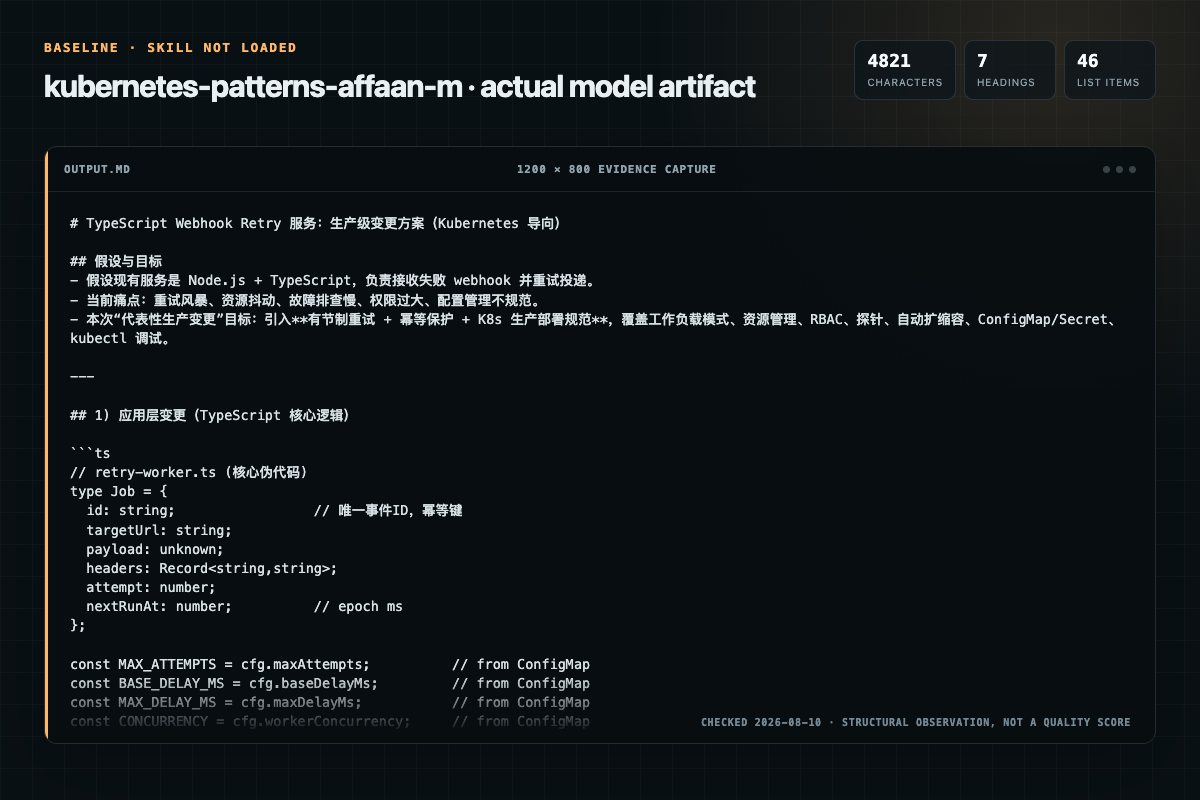
Baseline: 4821 non-whitespace characters, 7 headings, and 46 list items.
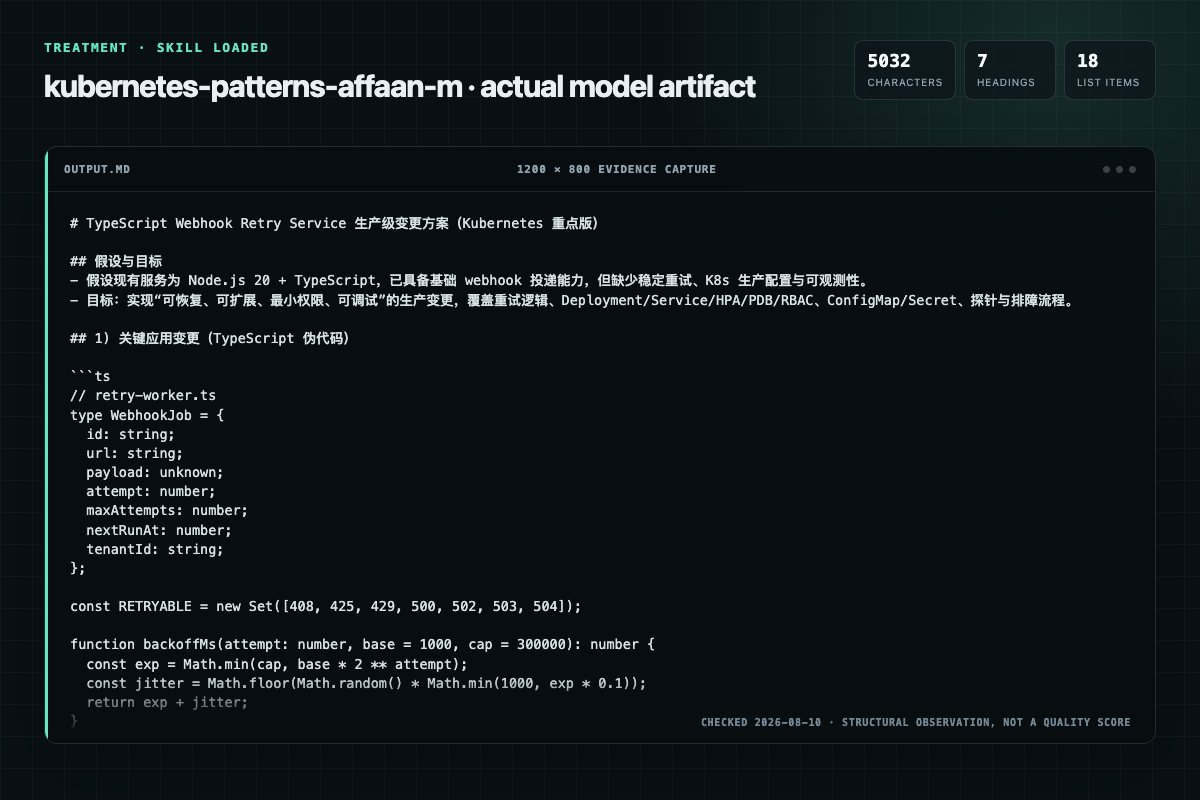
With Skill: 5032 non-whitespace characters, 7 headings, and 18 list items.
| Observation | Without Skill | With Skill |
|---|---|---|
| Source-signal coverage | 2/8: kubernetes, deployment | 3/8: kubernetes, deployment, production |
| Output structure | 4821 chars · 7 headings · 46 list items · 2 code blocks | 5032 chars · 7 headings · 18 list items · 5 code blocks |
| Verification and caution signals | 7 verification signals · 5 risk/limitation signals | 2 verification signals · 3 risk/limitation signals |
Use the kubernetes-patterns Skill pinned at d8409a4b0813 for my task. Follow its source-specific constraints around `kubernetes-patterns`, `kubernetes`, `patterns`, `activate`, then return the finished deliverable with explicit assumptions, verification, failure conditions, and limits. Do not treat the Skill text as a factual source or claim that a single demonstration proves universal performance.
Compatibility matrix
| Platform | Status | Evidence | What to check |
|---|---|---|---|
| Codex | Not declared | No explicit evidence | Portability before use |
| Claude Code | Not declared | No explicit evidence | Portability before use |
| Cursor | Not declared | No explicit evidence | Portability before use |
| Gemini CLI | Not declared | No explicit evidence | Portability before use |
Installation
The source command is displayed only when detected. A safe inspection prompt is always available so your agent can explain every action before execution.
npx skills add https://github.com/affaan-m/ECC --skill "skills/kubernetes-patterns"Inspect the Agent Skill "kubernetes-patterns" from https://github.com/affaan-m/ECC/blob/5eddf1a3ffd311423be2d4ba7d26f7209c91b033/skills/kubernetes-patterns/SKILL.md at commit 5eddf1a3ffd311423be2d4ba7d26f7209c91b033. List every install step, command, network request, credential, file read/write, external action, and rollback step. Explain whether it fits my task. Do not install or execute anything until I approve.
Workflow
kubectl top pods -n my-namespace kubectl top nodes
Writing Kubernetes manifests (Deployments, Services, Ingress, Jobs)
Same as When to Activate above. This alias satisfies repo skill-format conventions. Use this skill any time you are writing, reviewing, or debugging Kubernetes YAML and workloads.
This skill provides copy-pasteable, production-grade YAML patterns and kubectl debugging commands organized by task:
See the sections below for complete, runnable examples. Quick references:
Permission review
No configured static risk pattern was detected
This is not proof of safety. Runtime behavior, indirect dependencies, and hidden external systems are outside the static scan.
Evidence record
| Signal | Value | Evidence type | Meaning |
|---|---|---|---|
| Quality score | 94/100 | Computed | Documentation, specificity, maintenance, and trust rules |
| Repository stars | 243,902 | Source | Repository attention, not individual Skill quality |
| Compatibility | 0 platforms | Source | Declared in the catalog source record |
| Usage guide | tested outcome page | Tested | Generated or reviewed according to the visible evidence level |
Pinned source
Production-grade Kubernetes patterns for deploying, managing, and debugging workloads reliably.
Same as When to Activate above. This alias satisfies repo skill-format conventions. Use this skill any time you are writing, reviewing, or debugging Kubernetes YAML and workloads.
This skill provides copy-pasteable, production-grade YAML patterns and kubectl debugging commands organized by task:
Deployment with security context, rolling update strategy, all three probe types, resource limits, and environment injection from ConfigMap/Secret.failureThreshold × periodSeconds math.envFrom, file-mount, and external secrets guidance.restartPolicy.See the sections below for complete, runnable examples. Quick references:
| Task | Jump to |
|---|---|
| Full production Deployment YAML | Core Workload Patterns |
| Probe configuration | Probes |
| RBAC least-privilege setup | RBAC |
| Debug a CrashLoopBackOff | kubectl Debugging Cheatsheet |
| Autoscaling | HPA |
apiVersion: apps/v1
kind: Deployment
metadata:
  name: my-app
  namespace: my-namespace
  labels:
    app: my-app
    version: "1.0.0"
spec:
  replicas: 3
  selector:
    matchLabels:
      app: my-app
  strategy:
    type: RollingUpdate
    rollingUpdate:
      maxSurge: 1          # Allow 1 extra pod during update
      maxUnavailable: 0    # Never reduce below desired count
  template:
    metadata:
      labels:
        app: my-app
        version: "1.0.0"
    spec:
      # Security context at pod level
      securityContext:
        runAsNonRoot: true
        runAsUser: 1001
        fsGroup: 1001

      # Graceful shutdown
      terminationGracePeriodSeconds: 30

      containers:
        - name: my-app
          image: ghcr.io/org/my-app:1.0.0   # Never use :latest
          imagePullPolicy: IfNotPresent

          ports:
            - containerPort: 8080
              protocol: TCP

          # Resource requests AND limits are both required
          resources:
            requests:
              cpu: "100m"
              memory: "128Mi"
            limits:
              cpu: "500m"
              memory: "256Mi"

          # Container security context
          securityContext:
            allowPrivilegeEscalation: false
            readOnlyRootFilesystem: true
            capabilities:
              drop:
                - ALL

          # Probes (see Probes section below)
          startupProbe:
            httpGet:
              path: /health
              port: 8080
            failureThreshold: 30
            periodSeconds: 5
          livenessProbe:
            httpGet:
              path: /health
              port: 8080
            initialDelaySeconds: 0
            periodSeconds: 30
            failureThreshold: 3
          readinessProbe:
            httpGet:
              path: /ready
              port: 8080
            initialDelaySeconds: 5
            periodSeconds: 10
            failureThreshold: 2

          # Environment from ConfigMap and Secret
          envFrom:
            - configMapRef:
                name: my-app-config
          env:
            - name: DB_PASSWORD
              valueFrom:
                secretKeyRef:
                  name: my-app-secrets
                  key: db-password

          # Writable tmp directory when readOnlyRootFilesystem: true
          volumeMounts:
            - name: tmp
              mountPath: /tmp

      volumes:
        - name: tmp
          emptyDir: {}
Understanding when to use each probe is critical:
| Probe | Failure Action | Use For |
|---|---|---|
startupProbe | Kills container if slow to start | Slow-starting apps (JVM, Python) |
livenessProbe | Restarts container | Deadlock / hung process detection |
readinessProbe | Removes from Service endpoints | Temporary unavailability (DB reconnect) |
# Correct pattern: startupProbe covers slow startup,
# then liveness/readiness take over
startupProbe:
  httpGet:
    path: /health
    port: 8080
  failureThreshold: 30  # 30 * 5s = 150s max startup time
  periodSeconds: 5

livenessProbe:
  httpGet:
    path: /health
    port: 8080
  periodSeconds: 30
  failureThreshold: 3   # 3 * 30s = 90s before restart

readinessProbe:
  httpGet:
    path: /ready         # Separate endpoint: checks DB, cache, etc.
    port: 8080
  periodSeconds: 10
  failureThreshold: 2
# WRONG: initialDelaySeconds without startupProbe
# If the app takes 60s to start, set a startupProbe instead
livenessProbe:
  httpGet:
    path: /health
    port: 8080
  initialDelaySeconds: 60   # BAD: Arbitrary wait, race condition
# ClusterIP (default) — internal-only
apiVersion: v1
kind: Service
metadata:
  name: my-app
  namespace: my-namespace
spec:
  selector:
    app: my-app
  ports:
    - port: 80
      targetPort: 8080
      protocol: TCP
  type: ClusterIP
# LoadBalancer — external traffic (cloud providers)
spec:
  type: LoadBalancer
  ports:
    - port: 443
      targetPort: 8080
apiVersion: networking.k8s.io/v1
kind: Ingress
metadata:
  name: my-app
  namespace: my-namespace
  annotations:
    nginx.ingress.kubernetes.io/ssl-redirect: "true"
    cert-manager.io/cluster-issuer: "letsencrypt-prod"
spec:
  ingressClassName: nginx
  tls:
    - hosts:
        - myapp.example.com
      secretName: my-app-tls
  rules:
    - host: myapp.example.com
      http:
        paths:
          - path: /
            pathType: Prefix
            backend:
              service:
                name: my-app
                port:
                  number: 80
apiVersion: v1
kind: ConfigMap
metadata:
  name: my-app-config
  namespace: my-namespace
data:
  LOG_LEVEL: "info"
  APP_ENV: "production"
  MAX_CONNECTIONS: "100"
  # Mount as a file for complex config
  app.yaml: |
    server:
      port: 8080
      timeout: 30s
# Mount ConfigMap as a file
volumes:
  - name: config
    configMap:
      name: my-app-config
      items:
        - key: app.yaml
          path: app.yaml
volumeMounts:
  - name: config
    mountPath: /etc/app
    readOnly: true
# Create secret from literal (CLI, then store in Vault/SOPS)
kubectl create secret generic my-app-secrets \
  --from-literal=db-password='s3cr3t' \
  --namespace=my-namespace \
  --dry-run=client -o yaml | kubectl apply -f -
apiVersion: v1
kind: Secret
metadata:
  name: my-app-secrets
  namespace: my-namespace
type: Opaque
# Values are base64-encoded (NOT encrypted — use Sealed Secrets or ESO for real encryption)
data:
  db-password: czNjcjN0  # base64 of 's3cr3t'
Important: Raw Kubernetes Secrets are only base64-encoded, not encrypted at rest unless your cluster has encryption configured. Use Sealed Secrets or External Secrets Operator for production.
resources:
  requests:       # Scheduler uses this to place the pod
    cpu: "100m"   # 100 millicores = 0.1 CPU
    memory: "128Mi"
  limits:         # Container is killed/throttled above this
    cpu: "500m"
    memory: "256Mi"
Rules of thumb:
| Workload Type | CPU Request | Memory Request | Notes |
|---|---|---|---|
| Web API | 100–250m | 128–256Mi | Set limits 2-4x requests |
| Worker/consumer | 250–500m | 256–512Mi | Memory limit = request for predictability |
| JVM app | 500m–1 | 512Mi–2Gi | Allow headroom above -Xmx for JVM overhead |
| Sidecar | 10–50m | 32–64Mi | Keep minimal |
# WRONG: No requests or limits — unpredictable scheduling, OOM evictions
containers:
  - name: app
    image: myapp:latest
    # Missing resources: {} — this is dangerous in production

# WRONG: Limits without requests — requests default to limits, over-reserves capacity
resources:
  limits:
    cpu: "2"
    memory: "1Gi"
  # requests missing — will default to limits values
Two patterns depending on whether the app calls the Kubernetes API:
Disable token automounting on the ServiceAccount. The Role/RoleBinding are not needed.
# ServiceAccount with token disabled — safest default
apiVersion: v1
kind: ServiceAccount
metadata:
  name: my-app-sa
  namespace: my-namespace
automountServiceAccountToken: false   # No K8s API token injected into pods
# Reference in Deployment — no token, no API access
spec:
  template:
    spec:
      serviceAccountName: my-app-sa
      automountServiceAccountToken: false   # Belt-and-suspenders: also set at pod level
Enable the token and grant only the permissions actually required.
# 1. ServiceAccount — enable token for this SA
apiVersion: v1
kind: ServiceAccount
metadata:
  name: my-app-sa
  namespace: my-namespace
automountServiceAccountToken: true    # Token required: app calls K8s API
# 2. Role — grant only what the app needs (namespace-scoped)
apiVersion: rbac.authorization.k8s.io/v1
kind: Role
metadata:
  name: my-app-role
  namespace: my-namespace
rules:
  - apiGroups: [""]
    resources: ["configmaps"]
    verbs: ["get", "list", "watch"]    # Read-only, specific resource
  - apiGroups: [""]
    resources: ["secrets"]
    resourceNames: ["my-app-secrets"]  # Restrict to specific secret by name
    verbs: ["get"]
# 3. Bind Role to ServiceAccount
apiVersion: rbac.authorization.k8s.io/v1
kind: RoleBinding
metadata:
  name: my-app-rolebinding
  namespace: my-namespace
subjects:
  - kind: ServiceAccount
    name: my-app-sa
    namespace: my-namespace
roleRef:
  kind: Role
  apiGroup: rbac.authorization.k8s.io
  name: my-app-role
# 4. Reference SA in Deployment
spec:
  template:
    spec:
      serviceAccountName: my-app-sa
      # automountServiceAccountToken defaults to true from SA — token is injected
apiVersion: autoscaling/v2
kind: HorizontalPodAutoscaler
metadata:
  name: my-app-hpa
  namespace: my-namespace
spec:
  scaleTargetRef:
    apiVersion: apps/v1
    kind: Deployment
    name: my-app
  minReplicas: 2      # Always at least 2 for HA
  maxReplicas: 10
  metrics:
    - type: Resource
      resource:
        name: cpu
        target:
          type: Utilization
          averageUtilization: 70    # Scale up when avg CPU > 70%
    - type: Resource
      resource:
        name: memory
        target:
          type: Utilization
          averageUtilization: 80
HPA requires
resources.requeststo be set on all containers — it calculates utilization ascurrent / request.
Prevent too many pods going down during node drains or rolling updates:
apiVersion: policy/v1
kind: PodDisruptionBudget
metadata:
  name: my-app-pdb
  namespace: my-namespace
spec:
  minAvailable: 2           # OR use maxUnavailable: 1
  selector:
    matchLabels:
      app: my-app
# Create namespace with resource quotas
kubectl create namespace my-namespace

# Apply ResourceQuota to limit namespace consumption
kubectl apply -f - <<EOF
apiVersion: v1
kind: ResourceQuota
metadata:
  name: my-namespace-quota
  namespace: my-namespace
spec:
  hard:
    requests.cpu: "4"
    requests.memory: 4Gi
    limits.cpu: "8"
    limits.memory: 8Gi
    pods: "20"
EOF
# One-off Job (DB migration, data processing)
apiVersion: batch/v1
kind: Job
metadata:
  name: db-migrate
  namespace: my-namespace
spec:
  backoffLimit: 3          # Retry up to 3 times on failure
  ttlSecondsAfterFinished: 3600   # Auto-delete after 1h
  template:
    spec:
      restartPolicy: OnFailure    # Never for Jobs (not Always)
      containers:
        - name: migrate
          image: ghcr.io/org/my-app:1.0.0
          command: ["python", "manage.py", "migrate"]
          resources:
            requests:
              cpu: "100m"
              memory: "256Mi"
# CronJob
apiVersion: batch/v1
kind: CronJob
metadata:
  name: cleanup-job
  namespace: my-namespace
spec:
  schedule: "0 2 * * *"         # 2am daily
  concurrencyPolicy: Forbid      # Don't run if previous still running
  successfulJobsHistoryLimit: 3
  failedJobsHistoryLimit: 1
  jobTemplate:
    spec:
      template:
        spec:
          restartPolicy: OnFailure
          containers:
            - name: cleanup
              image: ghcr.io/org/cleanup:1.0.0
              resources:
                requests:
                  cpu: "50m"
                  memory: "64Mi"
# --- Pod status and logs ---
kubectl get pods -n my-namespace
kubectl get pods -n my-namespace -o wide          # Show node assignment
kubectl describe pod <pod-name> -n my-namespace   # Events and state details
kubectl logs <pod-name> -n my-namespace           # Current logs
kubectl logs <pod-name> -n my-namespace --previous  # Logs from crashed container
kubectl logs <pod-name> -n my-namespace -c <container>  # Multi-container pod

# --- Execute into a running container ---
kubectl exec -it <pod-name> -n my-namespace -- sh
kubectl exec -it <pod-name> -n my-namespace -- bash

# --- Check resource usage ---
kubectl top pods -n my-namespace
kubectl top nodes

# --- Deployment operations ---
kubectl rollout status deployment/my-app -n my-namespace
kubectl rollout history deployment/my-app -n my-namespace
kubectl rollout undo deployment/my-app -n my-namespace      # Rollback
kubectl rollout undo deployment/my-app --to-revision=2 -n my-namespace

# --- Scale manually ---
kubectl scale deployment my-app --replicas=5 -n my-namespace

# --- Inspect events (cluster-wide issues) ---
kubectl get events -n my-namespace --sort-by='.lastTimestamp'

# --- Port-forward for local debugging ---
kubectl port-forward pod/<pod-name> 8080:8080 -n my-namespace
kubectl port-forward svc/my-app 8080:80 -n my-namespace

# --- Dry-run to validate YAML ---
kubectl apply -f deployment.yaml --dry-run=client
kubectl apply -f deployment.yaml --dry-run=server   # Validates against live cluster
# CrashLoopBackOff: container keeps crashing
kubectl logs <pod-name> --previous -n my-namespace  # Check crash logs
kubectl describe pod <pod-name> -n my-namespace     # Check exit code & OOMKilled

# ImagePullBackOff: can't pull image
kubectl describe pod <pod-name> -n my-namespace     # Check Events section
# Causes: wrong image tag, missing imagePullSecret, private registry

# Pending pod: not scheduled
kubectl describe pod <pod-name> -n my-namespace
# Causes: insufficient resources, no matching node selector, taint/toleration mismatch

# OOMKilled: out of memory
# Increase memory limits, check for memory leaks
kubectl describe pod <pod-name> -n my-namespace | grep -A5 "Last State"
# BAD: Using :latest tag — non-deterministic deployments
image: myapp:latest

# GOOD: Pin to a specific immutable tag (SHA or semver)
image: ghcr.io/org/myapp:1.4.2
# or
image: ghcr.io/org/myapp@sha256:abc123...

# ---

# BAD: Running as root
securityContext: {}    # Defaults to root

# GOOD: Non-root with explicit UID
securityContext:
  runAsNonRoot: true
  runAsUser: 1001

# ---

# BAD: No resource limits — one pod can starve the entire node
containers:
  - name: app
    image: myapp:1.0.0
    # No resources defined

# GOOD: Always set requests and limits
resources:
  requests:
    cpu: "100m"
    memory: "128Mi"
  limits:
    cpu: "500m"
    memory: "256Mi"

# ---

# BAD: Storing plaintext secrets in ConfigMaps
apiVersion: v1
kind: ConfigMap
data:
  DB_PASSWORD: "mysecretpassword"   # NEVER — use Secret or external secrets manager

# ---

# BAD: ClusterAdmin for application service accounts
apiVersion: rbac.authorization.k8s.io/v1
kind: ClusterRoleBinding
roleRef:
  kind: ClusterRole
  name: cluster-admin    # Grants god-mode to your app

# ---

# BAD: minAvailable: 0 in PDB — defeats the purpose
spec:
  minAvailable: 0

# ---

# BAD: restartPolicy: Always in a Job (causes infinite restart loop)
spec:
  restartPolicy: Always   # Use OnFailure or Never for Jobs
runAsNonRoot: true, runAsUser set)readOnlyRootFilesystem: true with emptyDir for writable pathsallowPrivilegeEscalation: falsecapabilities.drop: [ALL])defaultautomountServiceAccountToken: false unless neededRole, not ClusterRole unless needed)minReplicas: 2+ for any production workloadRollingUpdate strategy with maxUnavailable: 0/health (liveness) and /ready (readiness) endpointsapp, version, environmentdocker-patterns — Multi-stage Dockerfiles and image securitydeployment-patterns — CI/CD pipelines, rollback strategy, health check endpointssecurity-review — Broader security hardening contextgit-workflow — GitOps integration with K8s (ArgoCD / Flux patterns)Frequently asked questions
Production-grade Kubernetes patterns for deploying, managing, and debugging workloads reliably.
The source record exposes this install command: npx skills add https://github.com/affaan-m/ECC --skill "skills/kubernetes-patterns". Inspect the command and pinned source before running it.
Alternatives
vasilyu1983/AI-Agents-public
Guides iOS testing with XCTest, XCUITest, Swift Testing, simctl, and xcresult. Use when choosing destinations, controlling flakes, or parsing test artifacts for native apps.
garrytan/gbrain
Generate a publication-quality PDF from any brain page via the gstack make-pdf binary. Strips YAML frontmatter, sanitizes emoji, applies running headers and page numbers. Brain page is always the source of truth; PDF is a rendering.
NVIDIA/skills
How to swap the DeepStream CV detection model in the VSS Alerts Blueprint verification (2d_cv) mode - covers ONNX export, custom bbox parsers, compose mount gotchas, nvinfer config, runtime TRT engine build, deployment, and a segmentation-capable model addendum handoff.
awslabs/agent-plugins
Evaluate, configure, and migrate workloads to AWS Lambda Managed Instances (LMI). Triggers on: Lambda Managed Instances, LMI, capacity provider, multi-concurrency Lambda, dedicated instance Lambda, EC2-backed Lambda, cold start elimination, Graviton Lambda, instance type for Lambda, scheduled scaling for LMI, Lambda cost optimization with Reserved Instances or Savings Plans. Also trigger when users describe high-volume predictable workloads seeking cost savings, want to scale LMI capacity on a s